A USB stick looks like the most convenient way to move content onto a signage display. But every time you plug it in and pull it out, the display's USB port takes mechanical load. That port is a small component soldered to the display's main board, and frequent use can wear it down over time.
Why it can cause damage
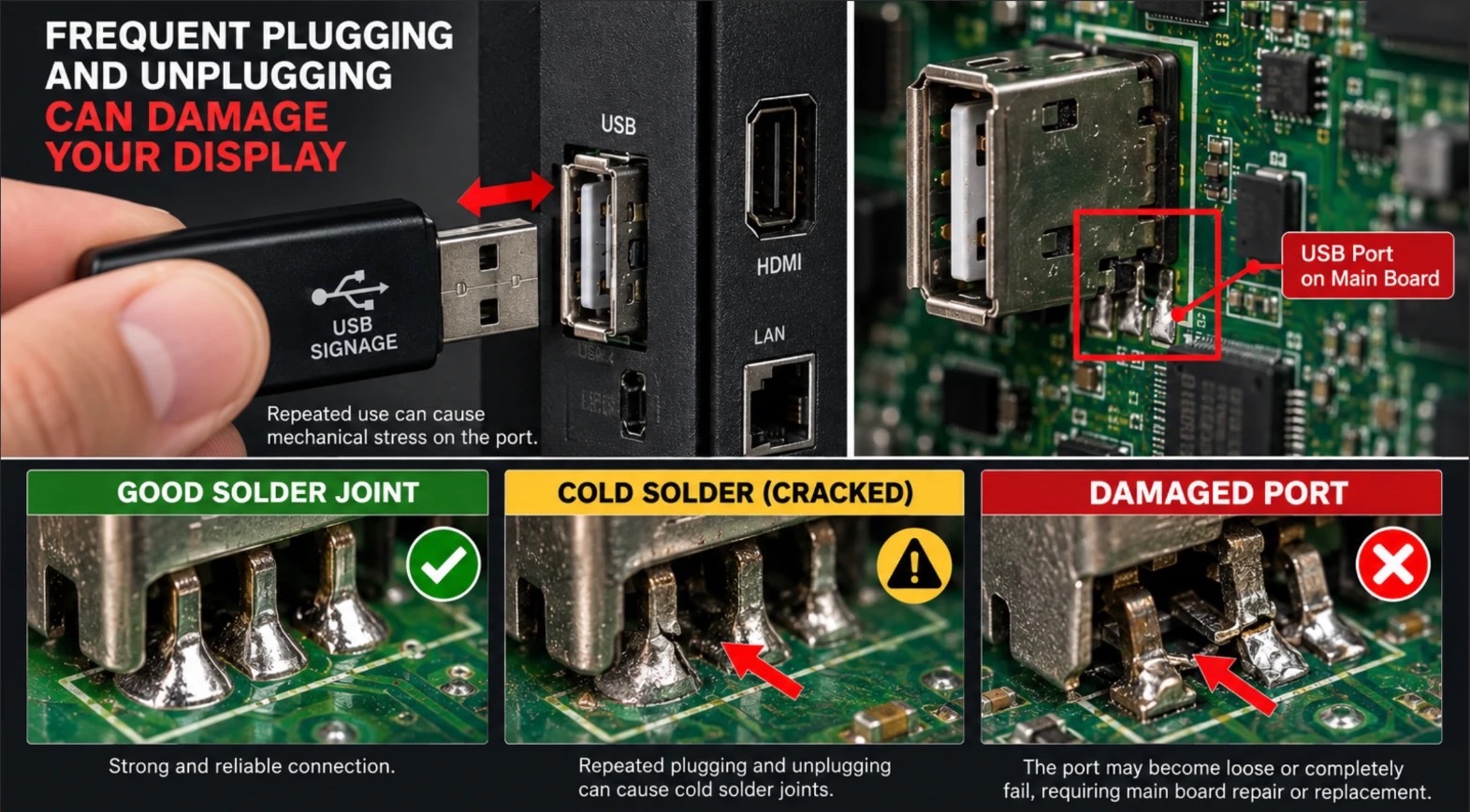
The USB port is held to the main board by a few small solder joints. Each time you insert and remove a stick - especially if it goes in at an angle, is pulled out with a twist, or a heavy stick hangs off the end of the port - force is applied to those joints. One time causes no problem; the force adds up with repetition.
Three stages: from a solid connection to a damaged port
- Good solder joint: the port sits firmly on the board and the connection is reliable.
- Cold solder (cracked): repeated plugging and unplugging can cause micro-cracks in the joint; the connection drops in and out and the stick is recognized only some of the time.
- Damaged port: the port may become loose or fail completely, which can require main board repair or replacement.
The real cost can exceed the display itself
On a display updated weekly by USB, that is more than 50 plug-and-unplug cycles a year; across 20 locations it is roughly 1,000. When a port fails, the cost isn't just the repair: the display sits dark on site, a service visit is needed, and content updates stop.
How to protect the port
- Minimize USB use: send content over the network and use a stick only when you really must.
- Don't force it: insert and remove the stick straight - no twisting, no wiggling.
- Don't leave a heavy stick hanging: a large stick dangling off the port keeps constant load on it. A short USB extension cable can help move that load from the port to the cable.
The easiest way to avoid USB altogether: SignOS
With SignOS, once a screen is paired, content travels over the network - you never have to walk up to the display or plug anything in. You add content to a playlist in the dashboard and send it; see our 3-step guide to sending content for the steps. You can even set up a whole week's or month's publishing plan in one sitting. We compared the pros and cons of the USB method in detail in this article.